 FocusHound
FocusHound is an iPhone app blocker that helps you protect time for work, bedtime, and the things you want to do away from your phone. Pick the apps that pull you in, then choose when to block them.
Choose the apps you want to block
You tell yourself, “Just five more minutes.” But it’s never five. One video turns into another, and by the time you look up, hours have passed.
During setup, FocusHound asks you to choose the apps you want to block. That might be Instagram, TikTok, YouTube or whichever apps you tend to open out of habit. Leave the apps you need available.
When a block is active, opening a selected app brings up FocusHound’s blocking screen. Your guard dog, Scout, shows you when the app will be available again, giving you a stopping point before another scroll begins.
Make blocking automatic with schedules
You’re in bed scrolling, even though you need to be up early. You keep putting off sleep, and when your alarm goes off, you’re groggy and wishing you’d put the phone down sooner.
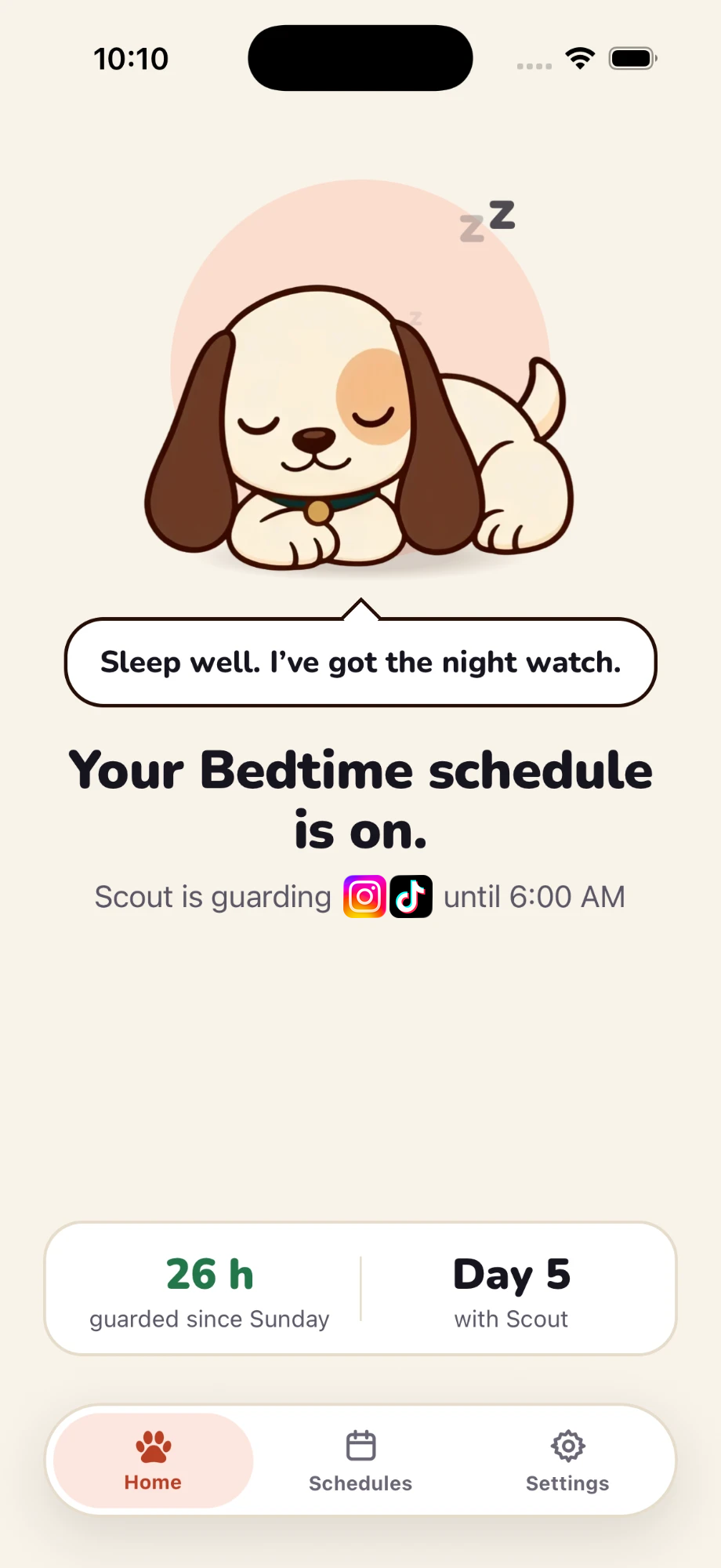
Give your scrolling apps a bedtime. During setup, choose the days and hours you want them blocked—for example, every night from 10 PM to 6 AM. FocusHound repeats the schedule automatically.
That evening cutoff helps you put your phone down and wind down, making room for the sleep you need. You can also set schedules for work or other parts of your day you want to spend away from those apps.
Start a focus session whenever you need one
You want to finish a task before lunch, but you keep checking your phone instead of getting started.
When you want to focus outside your usual schedule, open FocusHound and tap Start a focus session. Choose 25, 45, 60 or 90 minutes, then start the session. Your selected apps stay blocked while the timer runs, so you can give that task your attention.
Walk or breathe before taking a break
Sometimes you want to check your apps for a few minutes, then get back to what you were doing.
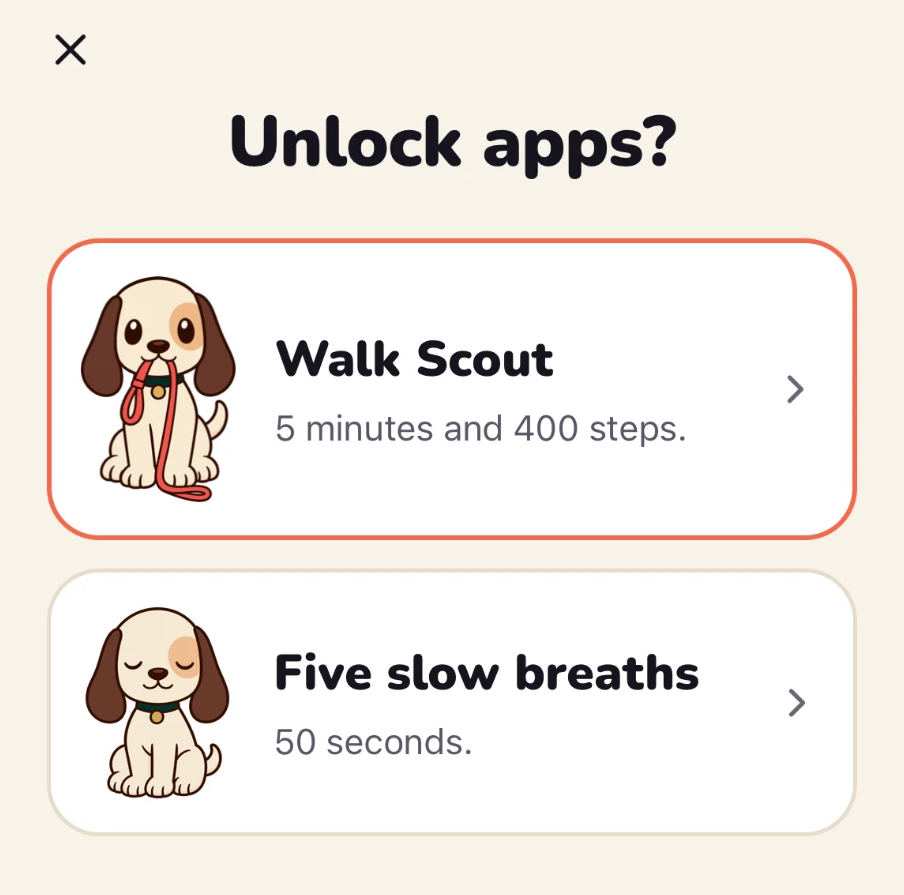
Choose Normal mode if you want optional breaks. Before unlocking your apps, FocusHound gives you two choices:
- Take a short walk. Walk for five minutes and 400 steps.
- Breathe with Scout. You start at five slow breaths. Each break after that adds another breath, up to 12.
Then choose your break length. The pause gives you a moment to decide whether you still want to open the apps. You can finish the exercise and keep them blocked, or take the timed break. If your schedule is still running when the break ends, FocusHound blocks the apps again automatically.
Use Strict when you want stronger protection
You’ve tried setting a screen-time limit for Instagram. But when the reminder pops up, you’re in the middle of a video, so you tap “15 more minutes.” And keep tapping it until hours have passed.
Choose Strict mode for a schedule to turn off walking and breathing breaks and prevent changes to that schedule while it’s running. You can use Strict just for Bedtime and keep your Work schedule in Normal mode, with walking or breathing breaks during the day.
Strict schedules include one emergency pass per week for unexpected needs. It opens your apps for an hour and lets you change your schedules. If the schedule is still active and Strict afterward, blocking resumes.
You can also choose Strict for a focus session when you want it to run for the full timer.
Start with one part of your day
Maybe you want to finish work before dinner or put your phone down earlier at night. Choose the moment when scrolling gets in the way most, and start there.
Pick the apps that pull you in, then set a schedule or start a focus session. FocusHound handles the blocking so you can spend that time doing what you planned.
Start your free trial of FocusHound today.
Made by Nicholas Johnson, FocusHound founder. The break-chooser screenshot was captured on iOS 27.0 using FocusHound 2.0.5.